

What if you could reduce parking lot administration costs by simplifying the work before adding new technology? Manual reservations, payment records, and scattered spreadsheets can turn routine tracking into a daily time drain. You need a clearer process, not a complicated system.
This guide shows you how to identify repetitive parking tasks, organize reservations and payments, and choose a digital workflow that fits your lot and its users. You’ll also see how an online marketplace can connect physical spaces with listings and reservations, while CurbFlip scannable parking signs give drivers a direct route to the booking process. Start with the tasks that take the most attention, then make one practical change at a time. The goal is a simpler way to manage your lot, not another layer of administration.
Key Takeaways
- Spot the routine work that absorbs staff time, from recording bookings to answering repeat questions.
- Map tasks, standardize listing details, centralize reservations and payment records, then review recurring exceptions.
- Compare manual management with an online marketplace to decide which workflow gives you the right balance of control and convenience.
- To reduce parking lot administration costs, consider how scannable signs can connect your lot to CurbFlip’s online reservation marketplace.
Where Parking Lot Administration Costs Hide in Everyday Tasks
Parking lot administration is the recurring work that keeps bookings and records in order: recording reservations, tracking payments, answering routine questions, and updating space availability. Each task may seem small on its own. Repeating it across calls, messages, and spreadsheets can pull staff away from other work. To reduce parking lot administration costs, find the steps that repeat most often before adding another tool.
“Every manual handoff turns a simple parking task into another chance to spend staff time repeating, checking, or correcting information.”
Map the booking process from the driver’s first question through confirmation. For each step, note how often it happens, who handles it, which tool they use, and whether anyone enters the same information twice. A general Parking lot administration overview can help frame how facility types and technology shape daily operations, but your own workflow shows where effort is going.
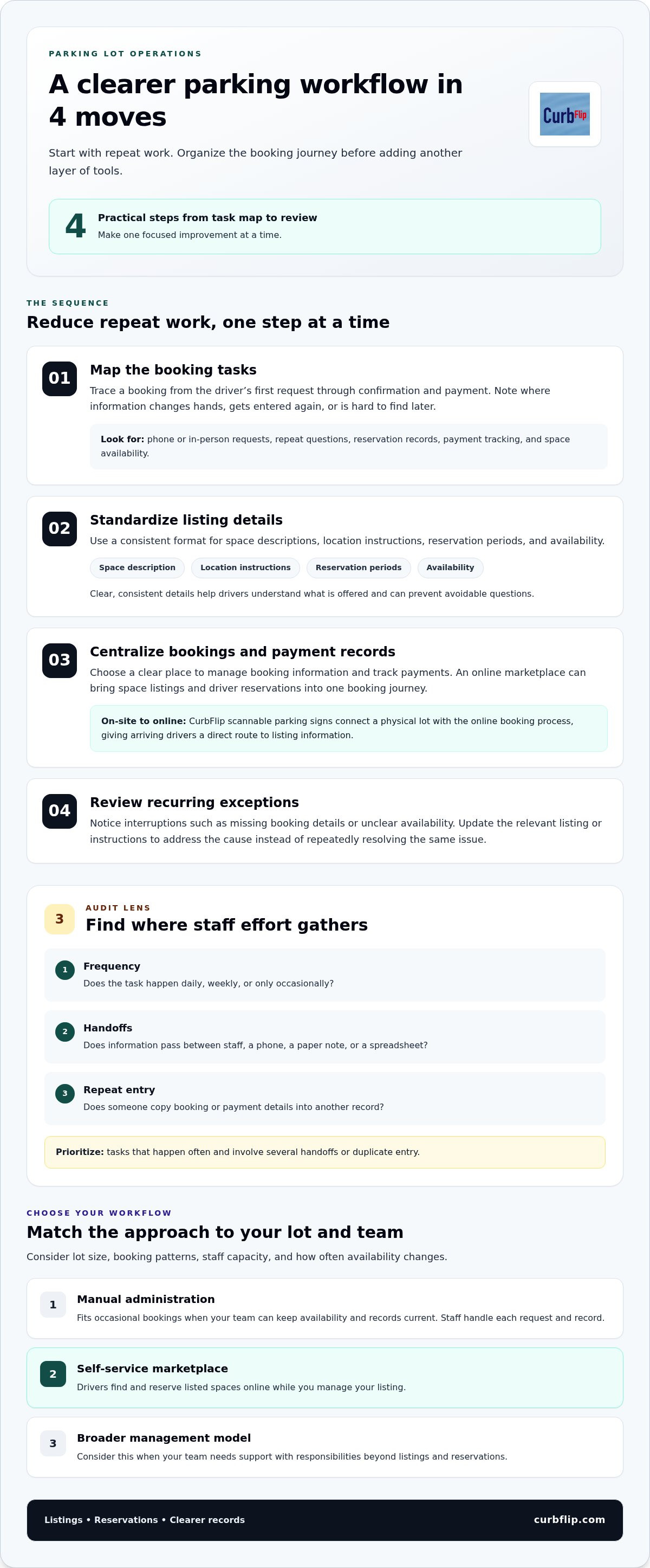
- Frequency: Does the task happen daily, weekly, or only occasionally?
- Handoffs: Does information pass between staff, a phone, a paper note, or a spreadsheet?
- Repeat entry: Does someone copy booking or payment details into another record?
Which manual parking tasks should you audit first?
Start with phone or in-person requests. Trace each one from the first question to the final reservation record. Then compare that process with an online reservation: where does the booking appear, and where is payment recorded? Look for details staff must transfer by hand or reconcile across separate records.
Prioritize tasks that happen often and involve several handoffs or duplicate entry. For instance, if staff repeatedly answer questions about location or availability, make those details easier to find in the listing. This gives you a practical starting point while keeping the audit focused on bookings, payments, questions, and space availability.
How to Reduce Parking Lot Administration Costs in a Clear Sequence
Use your task map to make one focused improvement at a time. This sequence addresses repeat work before introducing more tools or steps.
- Map tasks. Follow a booking from the driver’s first request through confirmation and payment. Note where details are handed off, entered again, or difficult to find later.
- Standardize listing details. Use the same format for space descriptions, location instructions, reservation periods, and availability. Clear, consistent information helps drivers understand what’s offered and can prevent avoidable questions.
- Centralize reservations and payment records. Choose a clear place to manage booking information and track payments. An online marketplace brings space listings and driver reservations into one booking journey.
- Review recurring exceptions. Track interruptions such as missing booking details or unclear availability. Update the relevant instructions or listing information to address the cause instead of repeatedly resolving the same issue.
A streamlined parking administration workflow gives each listing, reservation, and payment a clear place in the process, so staff can follow consistent steps without unnecessary duplication.
How can a digital reservation workflow reduce repeat work?
An online marketplace gives owners a place to list spaces and drivers a way to find and reserve them. CurbFlip scannable signs connect a physical lot with the online booking process. For example, a sign at the parking location can direct drivers to the listing, where daily, weekly, and monthly reservations are available. That gives arriving drivers a clear route to booking information and reduces the need to explain how to start each reservation in person.
This approach can suit different parking needs, from airport and beach parking to church and event parking. Whether you manage a lot in New York, Chicago, Los Angeles, Seattle, Atlanta, San Francisco, London, Denver, Miami, Dallas, Houston, Austin, Nashville, Memphis, New Orleans, Southern California, Toronto, Montreal, or Vancouver, clear listing details and a direct booking path help drivers understand how to reserve a space.
Explore CurbFlip scannable parking signs to connect on-site directions with the online listing drivers use to book.
Choose a Parking Workflow That Fits Your Lot and Your Team
The right approach depends on how much control you want and which tasks your team can handle consistently. A manual process keeps decisions close to you, but your staff remain responsible for each request and record. A self-service marketplace lets drivers find and reserve listed spaces online while you manage your listings. A broader management model may involve responsibilities beyond listings and reservations, so define what you need before choosing a workflow.
- Choose manual administration if bookings are occasional and your team can keep availability and records current.
- Choose a self-service marketplace if you want drivers to find and reserve listed spaces online while you retain control of the listing.
- Consider a broader management model if your team needs support with responsibilities beyond managing listings and reservations.
What should you check before choosing a parking management approach?
Match the workflow to your lot’s size, booking patterns, staff capacity, and how often availability changes. Decide which tasks you want to keep, such as updating space details, and which booking steps you’d prefer to move online. If you’re weighing different levels of control and task ownership, compare parking management options as part of your evaluation.
CurbFlip offers scannable parking signs for owners who want an on-site sign as part of their setup. Consider whether a sign fits the way drivers find and use your lot. If it does, explore CurbFlip scannable parking signs as a practical addition to your workflow.
Make Your Next Parking Workflow Change Simple
Choose one recurring task to improve first, then give the new process time to become part of your team’s routine. A small, clear change is easier to maintain than a major system shift. As you look for ways to reduce parking lot administration costs, keep the goal practical: make it easier for drivers to find your lot and reserve a space, while keeping the workflow manageable for you.
CurbFlip scannable signs link a physical parking location to its online reservation marketplace, where drivers can book daily, weekly, or monthly parking. Explore CurbFlip scannable parking signs to give drivers a direct path from your lot to its booking listing.
Frequently Asked Questions
How can a parking lot owner reduce administrative work?
Choose a clear owner for each recurring responsibility. To reduce parking lot administration costs, assign someone to review unresolved booking questions and update availability when plans change. Keep a short handoff note for staff covering a shift, with only the details needed to continue the task. This helps prevent requests from getting lost without adding a complicated process.
Can online reservations simplify parking lot management?
Yes, especially when you decide in advance how your team will handle changes. Set a routine for reviewing availability and name who resolves any mismatch. That gives staff a clear next step when a reservation needs attention, rather than leaving each person to invent a different process.
What parking tasks can scannable signs help streamline?
Scannable signs give drivers a consistent prompt for starting a parking transaction, which can reduce the need for staff to repeat basic instructions. Review the questions drivers still ask after scanning, then make the relevant listing information clearer. For example, if visitors often need help identifying the correct space, improve the location description rather than adding more steps for staff.
Is a self-service parking marketplace right for every lot?
Not necessarily. It can be a good fit if drivers can use online listings and your team can keep availability details current. Consider a Chicago event lot: if demand shifts around event dates, plan how staff will update space availability and handle exceptions. If your team needs more hands-on coordination than listings and reservations provide, consider a workflow that covers those additional responsibilities.
Disclaimer
The content provided in this article is for informational purposes only. All uses of the CurbFlip name, images, logos, and likeness are the exclusive property of CurbFlip.com. This article may contain information researched by a third-party, meaning CurbFlip does not guarantee the accuracy, completeness, or reliability of any third-party information presented herein and assumes no liability for any decisions made or actions taken based on this content.


