

What if you could plan where to park before you reach your destination, while an unused driveway becomes a useful listing for another driver? Finding a spot near an airport, stadium, or busy city can mean checking several sources and still feeling unsure. A digital parking reservation platform brings parking discovery and booking together, so you can compare available spaces and reserve ahead. Whether your plans take you to New York, Chicago, Los Angeles, Seattle, Atlanta, San Francisco, London, Denver, Miami, Dallas, Houston, Austin, Nashville, Memphis, New Orleans, Southern California, Toronto, Montreal, or Vancouver, the same practical checks can help you choose a space that fits your trip.
With CurbFlip, browse parking by location and choose daily, weekly, or monthly reservations. Property owners can list available spaces for drivers to find and book, and scannable parking signs connect a physical space with the platform. This guide explains how to compare listings, choose a reservation period, and make a host listing easier for drivers to understand.
Key Takeaways
- Search by destination and trip length, then compare the details of each listing before booking.
- Check that the location and reservation period fit your plans. Read the confirmation to make sure it reflects what you selected.
- Follow a simple booking path: browse a location, review a space, choose a rental period, and book online.
- If you have an available parking space, create a clear listing so drivers can understand its location and intended use.
What Is a Digital Parking Reservation Platform, and Who Does It Help?
A digital parking reservation platform is an online marketplace where drivers can find and reserve spaces made available by hosts. A directory may point you to a parking facility, while a reservation platform also presents individual listings and booking periods. That makes it easier to compare options for a specific destination and trip.
Parking needs vary. You may want a daily spot for an appointment or event, weekly parking while you travel, or monthly parking near work or home. Listings can also be intended for different uses, including airport, beach, church, event, stadium, and recreational vehicle parking. Start with the purpose of your trip, then check that the location and reservation period make sense for your plans.
How does a parking marketplace serve drivers and hosts?
For drivers, the search starts with a destination. Browse available spaces nearby, review each listing, and choose a reservation period that matches your plans. For a short stay, compare the dates you need with the listing’s available rental period. The daily parking reservations guide can help you consider whether a day-based booking suits your trip.
Hosts use the marketplace to list available parking spaces and share useful information with drivers. A private driveway or another available space can be listed for drivers to find and book. Clear details help prospective drivers judge whether the space suits their destination and intended use. Scannable parking signs can also connect the physical space with CurbFlip’s platform.
Some systems focus on connecting parking operators with apps. The National Parking Platform is one example of that approach. A parking marketplace such as CurbFlip brings drivers and hosts together around individual spaces and trip-length needs. Drivers can explore listings, while hosts can make available parking easier to find.
How to Evaluate a Digital Parking Reservation Platform Before Booking
A useful listing gives you details to assess before you reserve. Compare the information shown for each space instead of assuming every listing includes the same features or access arrangements. Check the location, rental period, stated details, and booking confirmation. These steps help you spot a mismatch before it disrupts your plans.
What should drivers check in a parking listing?
Use this checklist to compare spaces and catch common problems before booking:
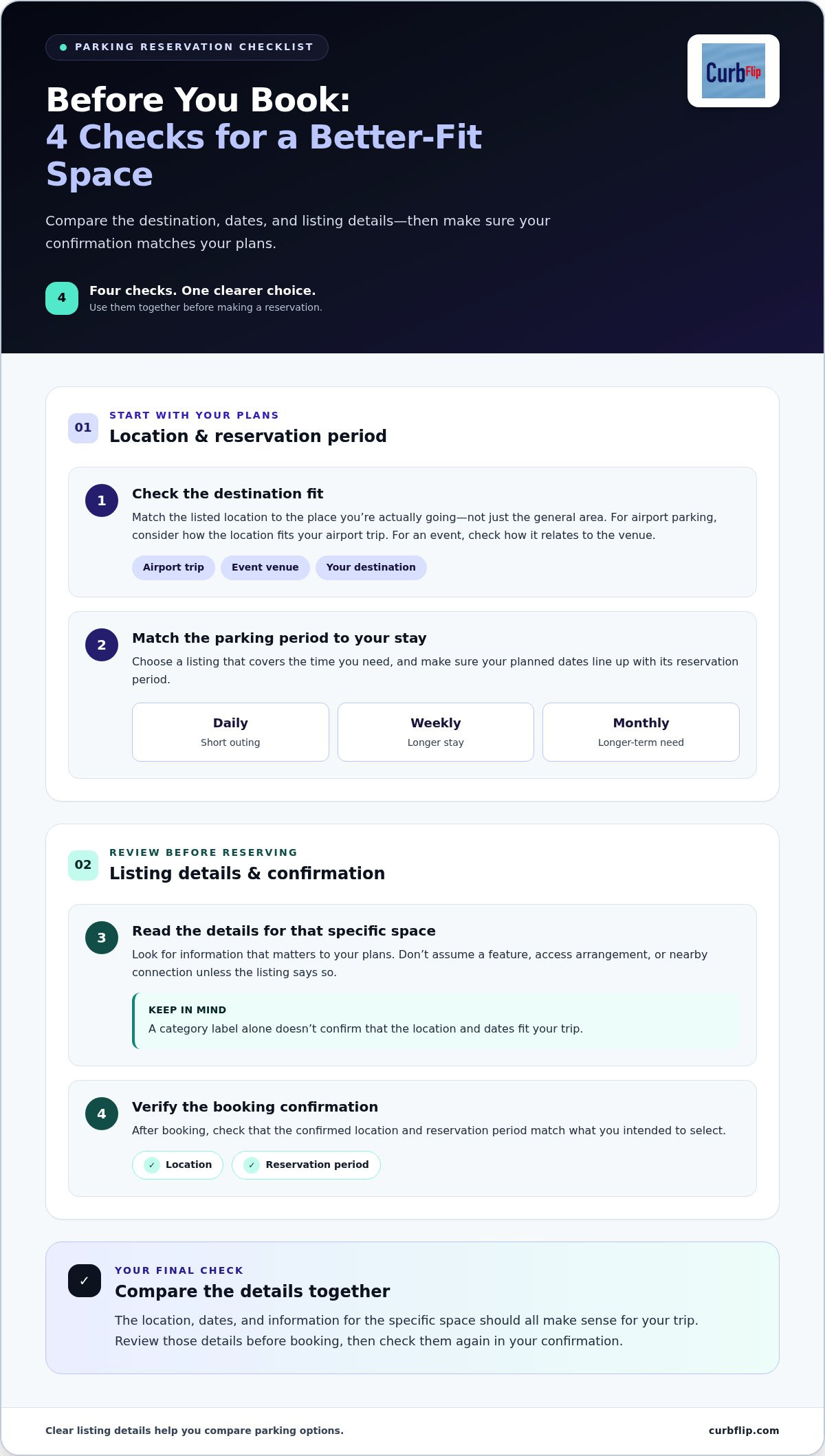
- Destination fit: Match the listed location to your actual destination, not just the general area. For airport parking, consider how the location fits your airport trip. For an event, check how it relates to the venue you plan to visit.
- Parking period: Choose a listing that covers the time you need. A daily reservation may suit a short outing, while weekly or monthly parking may fit a longer stay. Make sure your planned dates line up with the reservation period.
- Listing details: Read the information provided about the specific space. Look for details that matter to your plans, and don’t assume a feature, access arrangement, or nearby connection unless the listing says so.
- Booking confirmation: After booking, review the confirmation. Check that the location and reservation period match what you intended to select.
For a short-term visit, the daily parking reservations guide can help you decide whether a day-based booking fits your schedule. A common mistake is to focus on the category label, such as airport or event parking, without checking the listing’s location and dates. Compare those details together before deciding.
Hosts can make this choice easier by keeping their listing information clear and accurate. If you manage a physical parking space, CurbFlip scannable parking signs can connect that location with the platform. Explore scannable parking signs for hosts as one way to link an on-site space to its online listing.
How CurbFlip Connects Parking Reservations with Host Listings
A digital parking reservation platform should make the booking steps clear for drivers and give hosts a way to present available spaces. On CurbFlip, drivers can move from searching an area to reserving a space online:
- Browse a location: Look for parking near your destination, such as an airport, beach, church, or event venue.
- Review a listing: Read the details and compare the space with your needs.
- Choose a rental period: Select a daily, weekly, or monthly option that fits your stay.
- Book online: Complete your reservation through the platform, then review the confirmation.
Hosts take the other side of that journey. List an available parking space and describe its location and purpose so drivers can decide whether it fits their plans. A driveway near a transit stop, for example, may suit a different trip than a space intended for beach or event parking. Accurate, specific descriptions help drivers compare options.
How can hosts make a parking space easier to find?
Scannable parking signs connect a physical parking location with CurbFlip’s digital platform. They give drivers a way to reach the marketplace from the on-site space. CurbFlip offers sign options for airport, event, beach, and church parking. For more on using signage at a parking location, explore the scannable parking signs guide.
A sign supports the listing, but it doesn’t replace clear space details or the online booking flow. Hosts can bring both parts together by presenting the space on the platform and using a sign to connect the physical location with it. If you’re setting up a space, browse CurbFlip scannable parking signs.
Make Your Next Parking Plan with Confidence
Plan parking alongside your route and arrival time, rather than leaving it until you reach a busy destination. Search by location, compare the reservation period with your itinerary, and read the listing before booking. Whether you’re going to a meeting, catching a flight, or meeting friends, these checks help you choose a space with a clearer understanding of what you reserved.
If you have an available parking space, create a listing with accurate details so drivers can assess whether it fits their plans. You can also explore CurbFlip’s scannable parking signs to connect your on-site space with the platform. Browse CurbFlip for parking reservations or get started with a sign for your space.
Frequently Asked Questions
What is a digital parking reservation platform?
A digital parking reservation platform is an online service for browsing parking listings and making reservations. Unlike a map that only points out parking facilities, it can include individual spaces shared by hosts. For a visit to San Francisco, for example, you can compare listings for your trip instead of relying only on a list of public garages.
Can I reserve private parking through an online platform?
Yes. CurbFlip lets drivers reserve privately listed parking spaces. This gives you another option to consider alongside public facilities, whether you’re heading to a neighborhood in Denver or visiting a venue in Miami. Read the listing carefully and choose based on the details provided, so the space and its stated purpose fit your plans.
Can I list my driveway or parking space for drivers?
Yes. Hosts can list available parking spaces for drivers to find and book. Before creating a listing, consider how you want the space to be used, then describe it in plain language. A driveway near a transit stop may interest a different driver than a space intended for beach or event parking. Keep the description accurate and specific.
How do I find airport or event parking on a reservation platform?
Start with the airport or event you’re traveling to, then explore listings that match your plans. For a trip through Los Angeles or an event in Nashville, check how the listed location relates to your destination, not just the category label. Review the listing details and reservation dates together before choosing a space.
Disclaimer
The content provided in this article is for informational purposes only. All uses of the CurbFlip name, images, logos, and likeness are the exclusive property of CurbFlip.com. This article may contain information researched by a third-party, meaning CurbFlip does not guarantee the accuracy, completeness, or reliability of any third-party information presented herein and assumes no liability for any decisions made or actions taken based on this content.


